We can't find the internet
Attempting to reconnect
Something went wrong
Hang in there while we get back on track
Deal of the Day
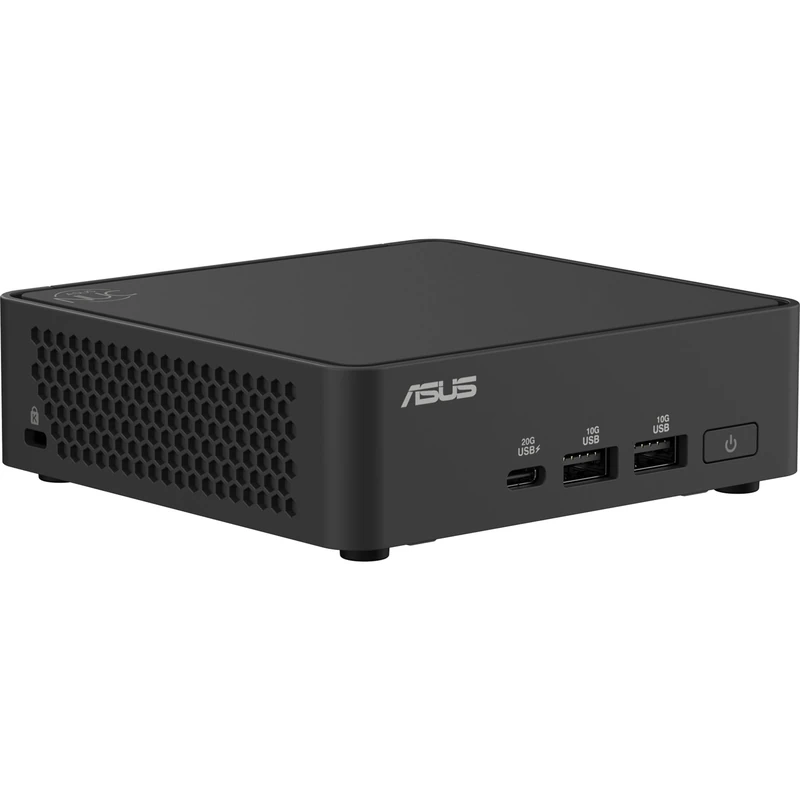
ASUS NUC 15 Pro Slim PC Kit RNUC15CRKU700002
Price dropped Today
Connect Your AI Assistant to Tosheroon
Use the Model Context Protocol (MCP) to give your AI assistant direct access to Tosheroon's Amazon price tracking data. Search products, check price history, get forecasts, and set up alerts — all through natural conversation.
What is MCP?
The Model Context Protocol is an open standard that lets AI assistants connect to external data sources and tools. Think of it as a USB port for AI — once connected, your AI assistant can directly search products, analyse prices, and set up alerts on Tosheroon without you having to copy and paste between windows.
What You Can Do
Once connected, your AI assistant has access to 11 tools:
Discover Products
- search_products — Search by keyword, ASIN, or Amazon URL. Filter by brand, category, price range, and stock status. Sort by price or relevance.
- browse_by_category — Browse products by category or list available categories
- browse_by_brand — Browse products by brand name
- get_price_drops — Find products with recent significant price drops
- get_similar_products — Find similar products and alternatives
Product Details & Analysis
- get_product — Full product details including current price
- get_price_history — Daily price history for up to 90 days
- get_price_statistics — Statistical analysis (high/low, mean, median, distribution)
- get_price_forecast — 30-day price predictions with confidence scores
Alerts
- create_price_alert — Get emailed when a product drops to your target price
- create_in_stock_alert — Get emailed when an out-of-stock product returns
How to Connect
Claude Desktop
Edit your config file:
-
macOS:
~/Library/Application Support/Claude/claude_desktop_config.json -
Windows:
%APPDATA%\Claude\claude_desktop_config.json
{
  "mcpServers": {
    "tosheroon": {
      "url": "https://tosheroon.com/mcp"
    }
  }
}
Claude Code
Run in your terminal:
claude mcp add tosheroon --transport http https://tosheroon.com/mcpCursor
Add to
.cursor/mcp.json
in your project:
{
  "mcpServers": {
    "tosheroon": {
      "url": "https://tosheroon.com/mcp"
    }
  }
}
Other MCP Clients
Any MCP-compatible client can connect using:
-
Endpoint:
https://tosheroon.com/mcp - Transport: HTTP
-
Authentication: Optional
X-Api-Keyheader
API Key (Optional)
The MCP server works without an API key. For higher rate limits, request a free key:
Try These Prompts
Once connected, try asking your AI assistant:
- "Find me the cheapest 4K TV on Amazon UK"
- "What's the price history for this product? https://www.amazon.co.uk/dp/B0CYBVY37J"
- "Are there any good deals on wireless headphones right now?"
- "Set up an alert to tell me when the PlayStation 5 drops below 400 pounds"
- "Compare prices of Samsung and LG OLED TVs"